IRIS+™ 2026.3
This release will be accessible to all customers using the cloud-hosted system on 19-May during our service maintenance window.
What's new?
Search for Similar — Milestone & Genetec VMS Plugins
The "Search for Similar" popup is now available within both the Milestone XProtect and Genetec Security Center embedded plugins. Users can click on any investigation result and use the popup to launch a similarity search, with an "Open in VMS" button to navigate directly into the VMS tab. Previously this functionality was unavailable within the embedded plugin views, requiring a workaround of removing the camera's external ID.

EULA Version Tracking and Forced Re-Acceptance
IRIS+ now tracks which version of the EULA each user has accepted and when. If a user has not yet accepted the current EULA, or accepted an older version, they will be prompted to accept it upon their next login. Users can also view the current EULA at any time from their profile menu.
Language support for Arabic and Hebrew
IRIS+ now supports Arabic and Hebrew as selectable languages in the portal. When either language is selected, the interface automatically switches to a right-to-left (RTL) layout, with text, navigation, and UI elements adapting accordingly. Switching back to any other language reverts the portal to left-to-right display. The calendar locale is also automatically updated to match the selected language.
What's improved?
External API — Event Query Consistency
The External API v3 events endpoint now returns results when no time range is specified, rather than defaulting both from and to to the current time and returning nothing. Omitting the date range now means no time filtering is applied, with pagination still in place to manage result size. Response field options have also been made more consistent, with each option now corresponding to exactly one field, reducing ambiguity for API integrations.
What's fixed?
This version includes fixes for the following issues:
- Users whose last active account had been suspended were unable to access the portal after logging in, and were stuck in a redirect loop
- Monitor view PDF exports were including all results on the page rather than respecting the 300-result limit, causing export failures on large result sets
- The "Platform Settings" tab name was not being translated when the portal language was changed
Patch Notes
2026.3.1
Available 23-June 2026
- Email integration with unauthenticated SMTP servers: Email integration targets can now be configured against SMTP servers that do not require authentication, such as those using anonymous or IP-based relay. A username and password are no longer mandatory when setting up an email integration. Existing email integrations that use authentication continue to work unchanged.
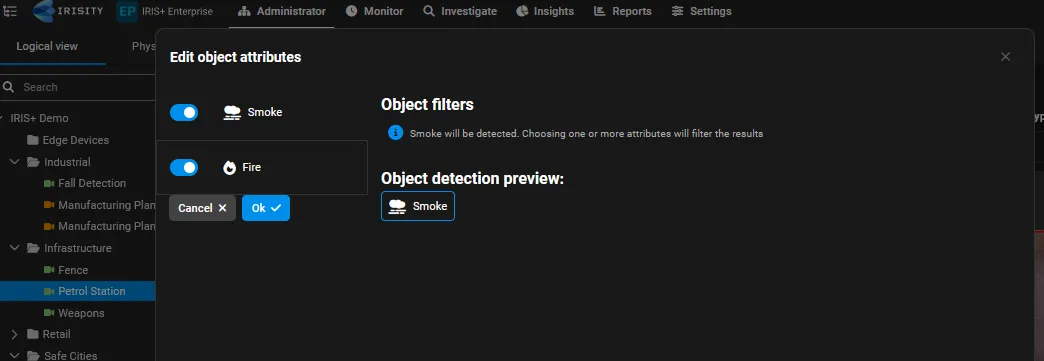
- Improved smoke and fire detection: The smoke and fire detection model has been retrained and optimized for improved detection performance, with updated detection thresholds applied across supported GPU types.
- Lower minimum dwell time for smoke and fire rules: The minimum dwell time for smoke and fire rules has been lowered from 5 seconds to 1 second (the range is now 1–600 seconds, with the default unchanged at 30 seconds). Combined with a short detection cadence, this allows faster alerting when smoke or fire is detected.
This version includes fixes for the following issues:
- Calendars created for the current date did not override the assigned schedule, so no events were generated; calendars now correctly take precedence and generate events as expected.
- Active time could not be added to calendars and schedules when using the Indian time format; time slots can now be added correctly.
- Users who had accepted an older version of the EULA were not always prompted to accept the current version on login; the version check now correctly prompts for re-acceptance.
- The "View EULA" option appeared in the wrong location in the profile menu and has been moved to its correct placement.