IRIS+ Analytics
The IRIS+ Enterprise system offers a variety of analytics that can be configured as a rule trigger on each camera, creating alerts on events that occur on a site being monitored.
Before you begin! Be sure to learn how to set up an edge device and a camera first to learn how to configure analytics for a rule.
How it works
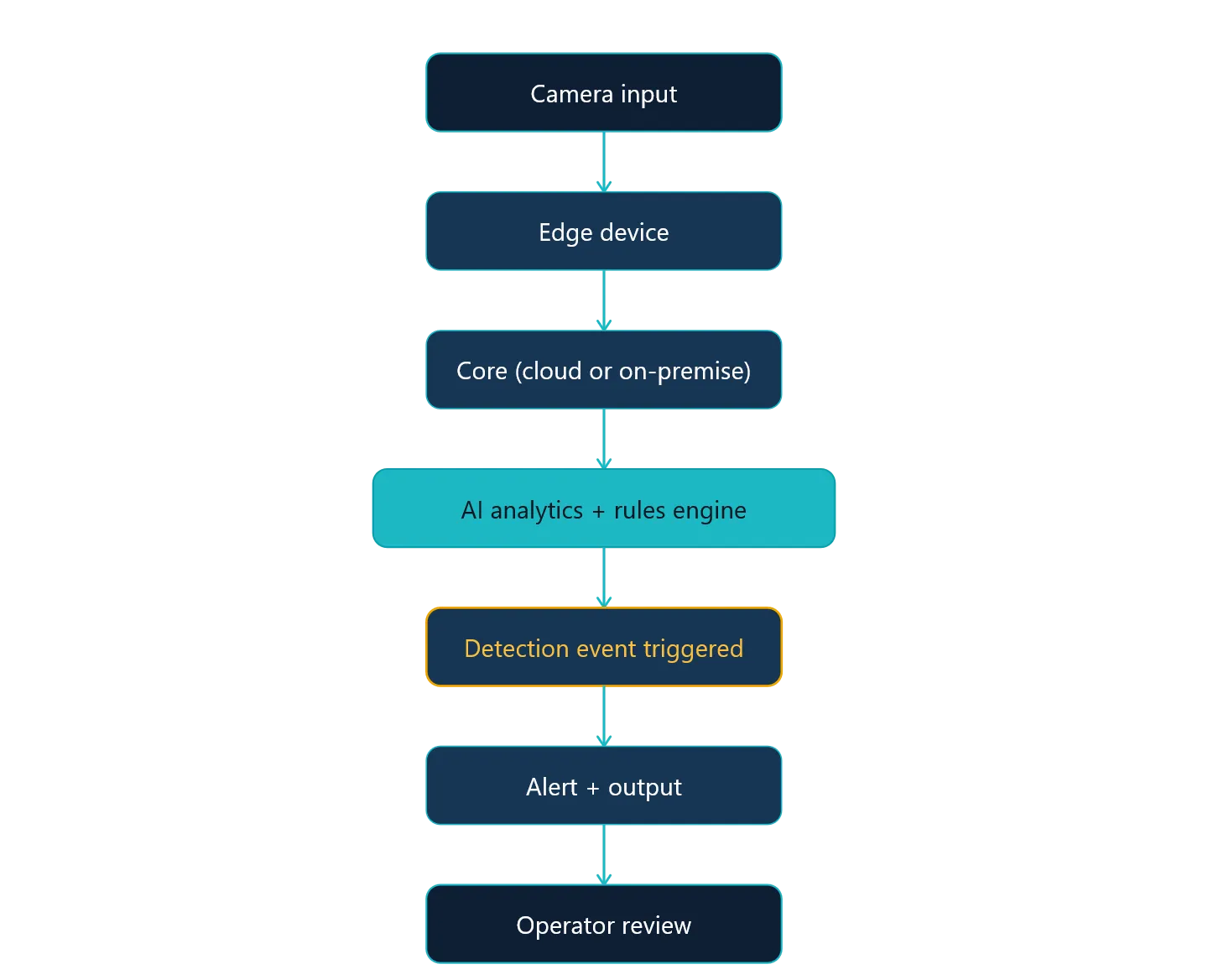
IRIS+ analytics are one of the core foundational aspects of the product that generates alerts on events detected from a scene recorded from a stream. Below shows how the analytics process generally ties to the event generation flow:
Types of analytics
In the IRIS+ Enterprise system, the analytics are split up into two categories
- Real-time analytics
- Statistical analytics
Real-time analytics are AI-driven services that detects entities in real-time. This means that if a camera stream has something occurring in the feed, the designated analytic models will run and trigger the instance, flagging an event and posting it into the monitor feed. These events can also be sent through an integration.
For example, moving in an area is a real-time analytics, where an event is generated if a person moving in an area is detected.
Statistical analytics are statistical models that are operating over the course of time. These analytics do not generate events, but rather logs counts of entities detected over time.
For example, people counting is a statistical analytics, where the count of people moving over a line are detected and recorded over time. The number is of people crossing a line reports the number in Insights and reporting.
Real-time analytics
Today, the IRIS+ system offers a variety of real-time analytics
- Asset protection
- Counterflow traffic
- Crossing a line
- Crowd density
- Grouping
- Moving in an area
- Slip and fall
- Smoke and fire detection
- Stopped vehicle
- Unattended object
- Face detection
These rules are meant to be used to generate alerts in the monitor tab, which then allows the operator to review the event of the alert, to classify if the event is true or false.
Setting up real-time analytics in a rule
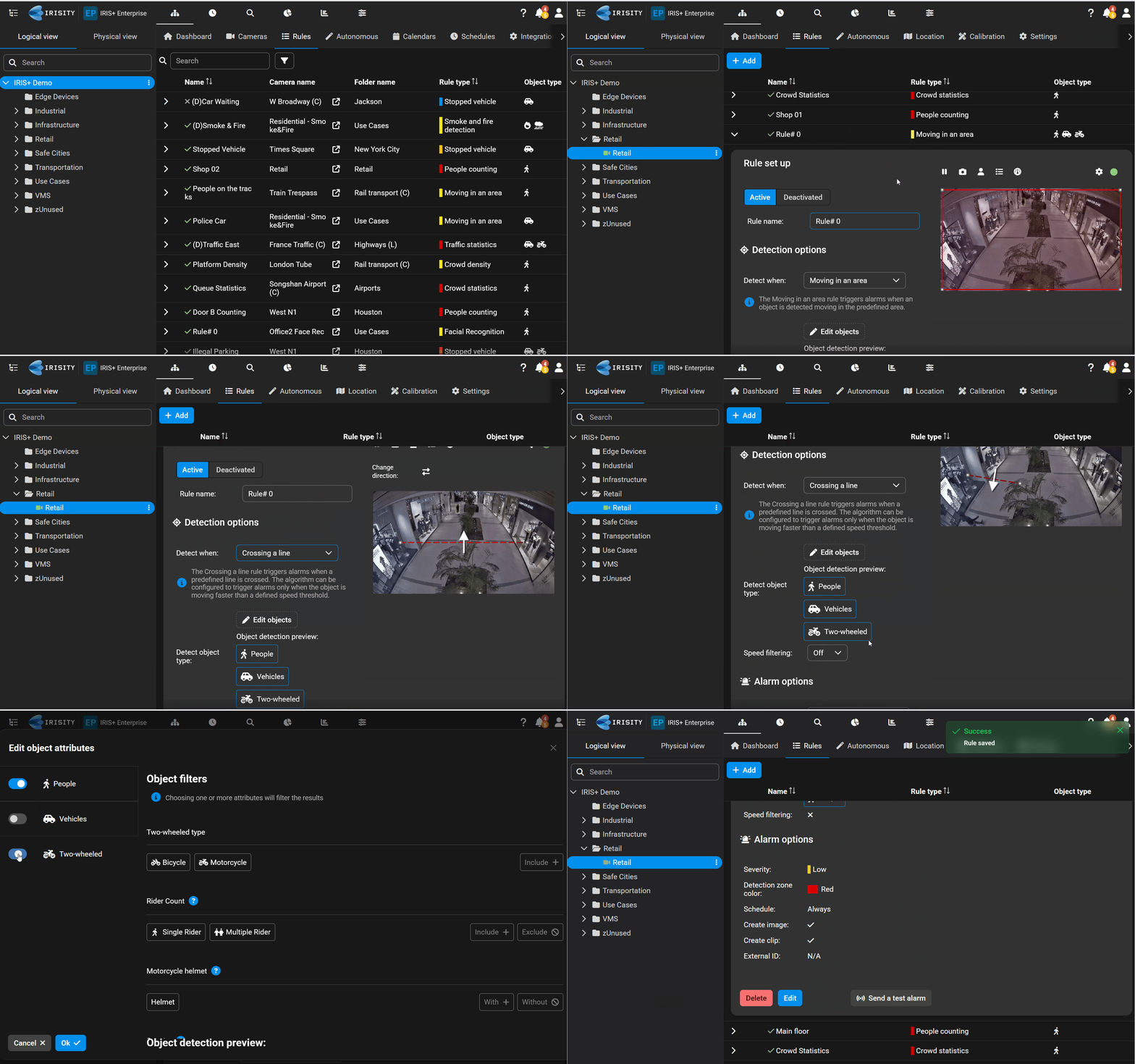
To set up a rule using real time analytics, select a camera in the camera tree and add a rule. Configure the rule by selecting a real-time analytics of choice, adjust the overlay in the stream, adjust the type of object for the rule to trigger on, then click save.
Statistical analytics
Unlike real-time analytics, statistical analytics collects the counts of the analytics triggered over time. This includes
- Crowd statistics
- People counting
- Traffic statistics
These types of rules generally require little to no setup, simply turn them on and let them run to collect stats overtime.
To learn more about how to setup each rule, read up on their individual guides in the menu.