Common Genetec Troubleshooting
1 min
Verifying that IRIS+™ events are received in Genetec
If alarms are configured but you are unsure whether IRIS+™ events are reaching Genetec Security Center, you can confirm reception directly in Security Desk:
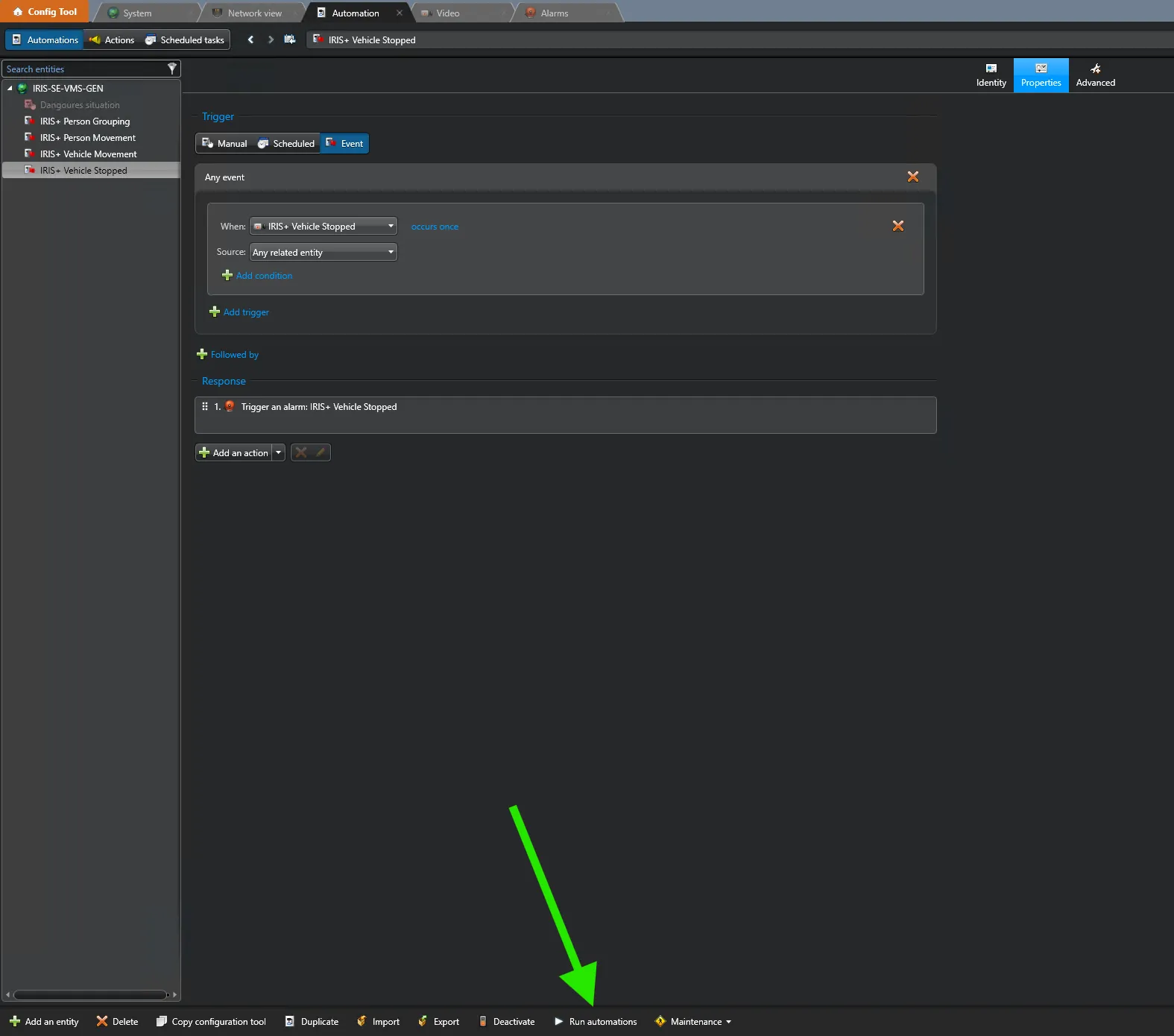
- In the Genetec Config Tool, run the automation test for your event-to-action rule to confirm the rule fires correctly. (screenshot 1 — Config Tool automation test)
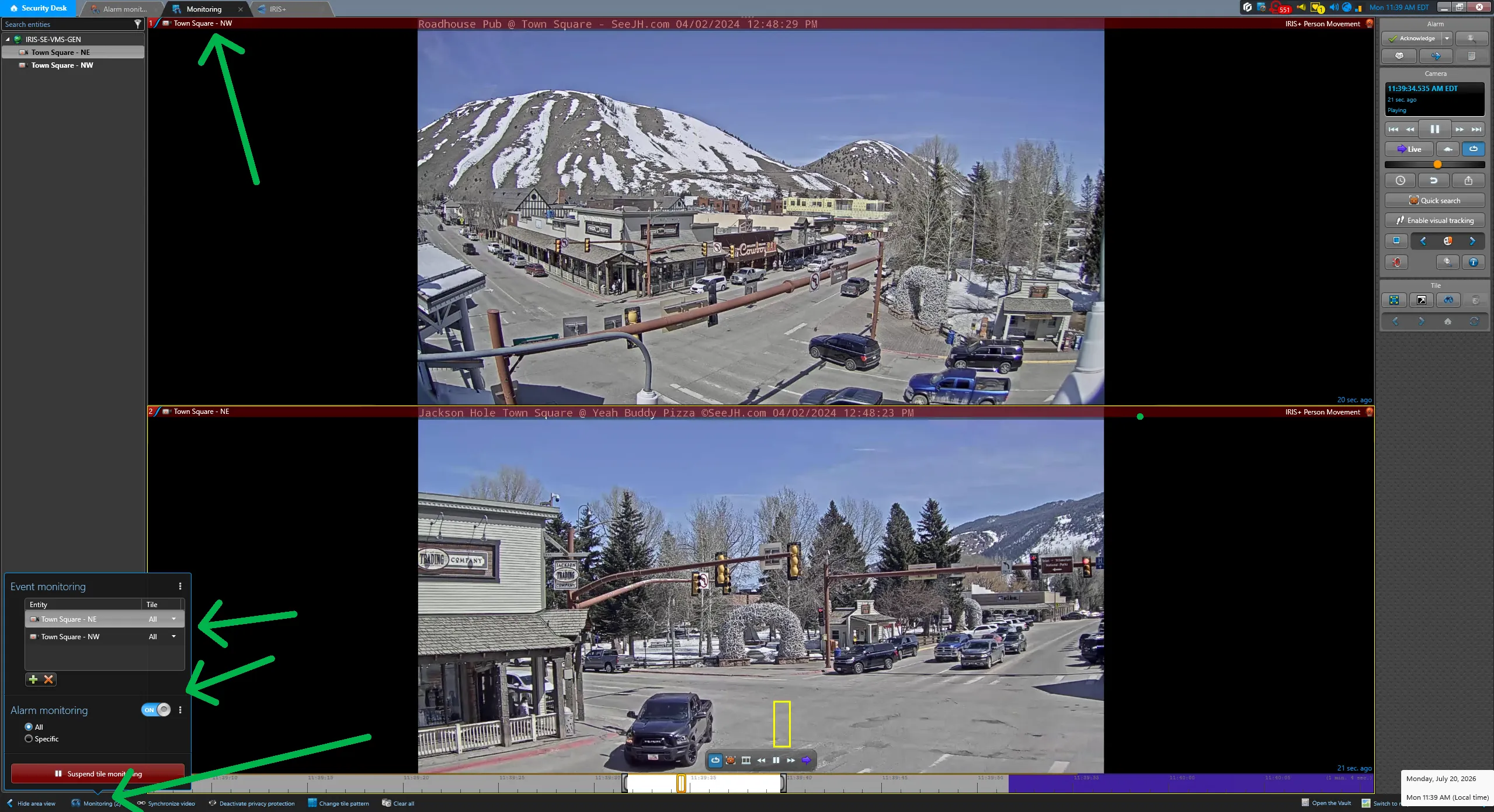
- Open Security Desk and go to the Monitoring task. In the bottom-left corner of the Monitoring pane, enable the event/activity option (monitoring toggle).
- Send a test alarm — either a Genetec test alarm or a live alarm triggered from IRIS+™. When the event is received, a bar appears in the Monitoring pane confirming the event was received from the SDK. This confirms that IRIS+™ events are being delivered into Genetec. (screenshot 2 — Security Desk Monitoring pane showing the received-event bar)